Navigraph has just made it easier than ever for Microsoft Flight Simulator pilots to plan flights with SimBrief, thanks to the new integration of the software right inside the sim. This popular flight planning tool, widely used by simmers for years, is now built directly into MSFS, letting users access SimBrief’s powerful features without leaving the simulator. It’s an ingenious solution from Navigraph that brings a whole new level of convenience to SimBrief and MSFS users!
SimBrief directly on the World Map and in-sim toolbar
Say goodbye to the days of toggling between the browser and the simulator just to set up a flight plan. With SimBrief now available directly in MSFS, you’ll be able to plan a route, calculate performance data, and export flight plans right from the world map.
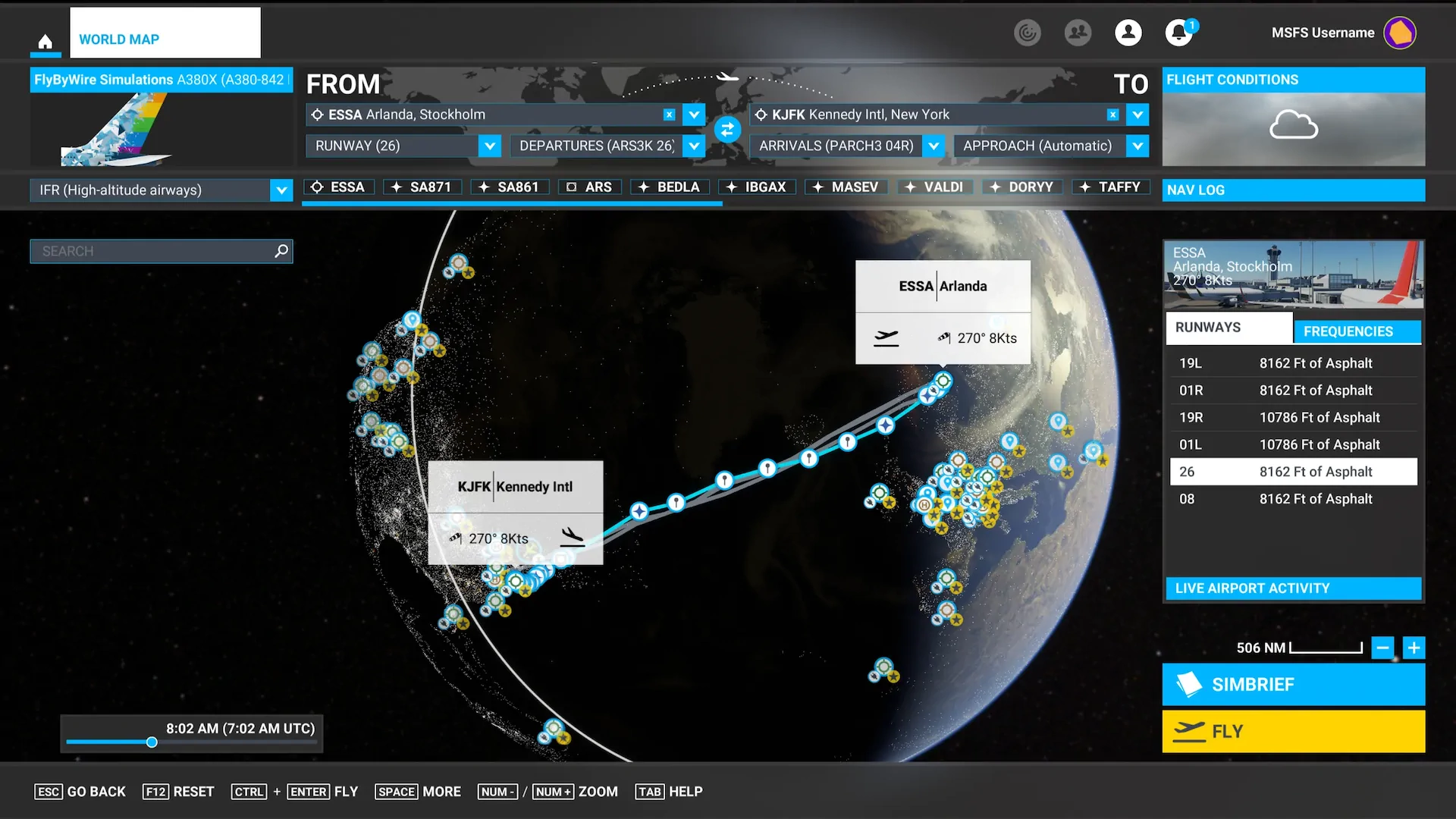
With this mod installed, you’ll find a new SimBrief button that sits above the “Fly Now” option on the map, and clicking it opens the familiar SimBrief interface in a window within MSFS. From there, it’s easy to enter the usual flight details, like departure, destination, and aircraft type, then generate a full flight plan and load it directly into the simulator with a single click.
Getting started with this integration is very straightforward. SimBrief itself is free for anyone with a Navigraph account, which now includes SimBrief Dispatch for MSFS. You can find it under Software Downloads on the SimBrief dashboard or install it through Navigraph Hub if you’re a subscriber.

Once it’s set up, SimBrief Dispatch works right within MSFS:
- You’ll see a new “SimBrief” button on the World Map screen.
- Click it to open a SimBrief window in MSFS.
- Log in to access the full interface and set up your flight details.
- Generate the plan, then hit “Import into Sim” to transfer it to the World Map automatically.
In-Sim access during flights
Navigraph didn’t stop at pre-flight planning; SimBrief Dispatch is also accessible mid-flight. You can click the SimBrief icon in the MSFS toolbar anytime, letting you review your flight plan or performance data on the go. If you’re planning a multi-leg trip, you can even use it to plan your next leg without needing to pause the experience or switch screens.

MSFS 2024 compatibility in the works
Navigraph has plans to expand this feature set even further. The team is already working on integrating SimBrief into the upcoming MSFS 2024, aiming to embed it within the new global EFB. This promises even deeper integration and more advanced tools right inside the simulator, so users can look forward to more options for planning and flying their virtual missions.
With this update, Navigraph has answered a longstanding request from the community for a more connected, intuitive planning system within Microsoft Flight Simulator. Check out the SimBrief Dashboard for a link to download the SimBrief Dispatch add-on for MSFS!






